

/** * Functions and filters related to the menus. * * Makes the default WordPress navigation use an HTML structure similar * to the Navigation block. * * @link https://make.wordpress.org/themes/2020/07/06/printing-navigation-block-html-from-a-legacy-menu-in-themes/ * * @package WordPress * @subpackage Twenty_Twenty_One * @since Twenty Twenty-One 1.0 */ /** * Add a button to top-level menu items that has sub-menus. * An icon is added using CSS depending on the value of aria-expanded. * * @since Twenty Twenty-One 1.0 * * @param string $output Nav menu item start element. * @param object $item Nav menu item. * @param int $depth Depth. * @param object $args Nav menu args. * @return string Nav menu item start element. */ function twenty_twenty_one_add_sub_menu_toggle( $output, $item, $depth, $args ) { if ( 0 === $depth && in_array( 'menu-item-has-children', $item->classes, true ) ) { // Add toggle button. $output .= ''; } return $output; } add_filter( 'walker_nav_menu_start_el', 'twenty_twenty_one_add_sub_menu_toggle', 10, 4 ); /** * Detects the social network from a URL and returns the SVG code for its icon. * * @since Twenty Twenty-One 1.0 * * @param string $uri Social link. * @param int $size The icon size in pixels. * @return string */ function twenty_twenty_one_get_social_link_svg( $uri, $size = 24 ) { return Twenty_Twenty_One_SVG_Icons::get_social_link_svg( $uri, $size ); } /** * Displays SVG icons in the footer navigation. * * @since Twenty Twenty-One 1.0 * * @param string $item_output The menu item's starting HTML output. * @param WP_Post $item Menu item data object. * @param int $depth Depth of the menu. Used for padding. * @param stdClass $args An object of wp_nav_menu() arguments. * @return string The menu item output with social icon. */ function twenty_twenty_one_nav_menu_social_icons( $item_output, $item, $depth, $args ) { // Change SVG icon inside social links menu if there is supported URL. if ( 'footer' === $args->theme_location ) { $svg = twenty_twenty_one_get_social_link_svg( $item->url, 24 ); if ( ! empty( $svg ) ) { $item_output = str_replace( $args->link_before, $svg, $item_output ); } } return $item_output; } add_filter( 'walker_nav_menu_start_el', 'twenty_twenty_one_nav_menu_social_icons', 10, 4 ); /** * Filters the arguments for a single nav menu item. * * @since Twenty Twenty-One 1.0 * * @param stdClass $args An object of wp_nav_menu() arguments. * @param WP_Post $item Menu item data object. * @param int $depth Depth of menu item. Used for padding. * @return stdClass */ function twenty_twenty_one_add_menu_description_args( $args, $item, $depth ) { if ( '' !== $args->link_after ) { $args->link_after = ''; } if ( 0 === $depth && isset( $item->description ) && $item->description ) { // The extra element is here for styling purposes: Allows the description to not be underlined on hover. $args->link_after = ''; } return $args; } add_filter( 'nav_menu_item_args', 'twenty_twenty_one_add_menu_description_args', 10, 3 );namespace Elementor; if ( ! defined( 'ABSPATH' ) ) { exit; // Exit if accessed directly. } /** * Elementor skin base. * * An abstract class to register new skins for Elementor widgets. Skins allows * you to add new templates, set custom controls and more. * * To register new skins for your widget use the `add_skin()` method inside the * widget's `register_skins()` method. * * @since 1.0.0 * @abstract */ abstract class Skin_Base extends Sub_Controls_Stack { /** * Parent widget. * * Holds the parent widget of the skin. Default value is null, no parent widget. * * @access protected * * @var Widget_Base|null */ protected $parent = null; /** * Skin base constructor. * * Initializing the skin base class by setting parent widget and registering * controls actions. * * @since 1.0.0 * @access public * @param Widget_Base $parent */ public function __construct( Widget_Base $parent ) { parent::__construct( $parent ); $this->_register_controls_actions(); } /** * Render skin. * * Generates the final HTML on the frontend. * * @since 1.0.0 * @access public * @abstract */ abstract public function render(); /** * Render element in static mode. * * If not inherent will call the base render. */ public function render_static() { $this->render(); } /** * Determine the render logic. */ public function render_by_mode() { if ( Plugin::$instance->frontend->is_static_render_mode() ) { $this->render_static(); return; } $this->render(); } /** * Register skin controls actions. * * Run on init and used to register new skins to be injected to the widget. * This method is used to register new actions that specify the location of * the skin in the widget. * * Example usage: * `add_action( 'elementor/element/{widget_id}/{section_id}/before_section_end', [ $this, 'register_controls' ] );` * * @since 1.0.0 * @access protected */ protected function _register_controls_actions() {} /** * Get skin control ID. * * Retrieve the skin control ID. Note that skin controls have special prefix * to distinguish them from regular controls, and from controls in other * skins. * * @since 1.0.0 * @access protected * * @param string $control_base_id Control base ID. * * @return string Control ID. */ protected function get_control_id( $control_base_id ) { $skin_id = str_replace( '-', '_', $this->get_id() ); return $skin_id . '_' . $control_base_id; } /** * Get skin settings. * * Retrieve all the skin settings or, when requested, a specific setting. * * @since 1.0.0 * @TODO: rename to get_setting() and create backward compatibility. * * @access public * * @param string $control_base_id Control base ID. * * @return mixed */ public function get_instance_value( $control_base_id ) { $control_id = $this->get_control_id( $control_base_id ); return $this->parent->get_settings( $control_id ); } /** * Start skin controls section. * * Used to add a new section of controls to the skin. * * @since 1.3.0 * @access public * * @param string $id Section ID. * @param array $args Section arguments. */ public function start_controls_section( $id, $args = [] ) { $args['condition']['_skin'] = $this->get_id(); parent::start_controls_section( $id, $args ); } /** * Add new skin control. * * Register a single control to the allow the user to set/update skin data. * * @param string $id Control ID. * @param array $args Control arguments. * @param array $options * * @return bool True if skin added, False otherwise. * @since 3.0.0 New `$options` parameter added. * @access public * */ public function add_control( $id, $args = [], $options = [] ) { $args['condition']['_skin'] = $this->get_id(); return parent::add_control( $id, $args, $options ); } /** * Update skin control. * * Change the value of an existing skin control. * * @since 1.3.0 * @since 1.8.1 New `$options` parameter added. * * @access public * * @param string $id Control ID. * @param array $args Control arguments. Only the new fields you want to update. * @param array $options Optional. Some additional options. */ public function update_control( $id, $args, array $options = [] ) { $args['condition']['_skin'] = $this->get_id(); parent::update_control( $id, $args, $options ); } /** * Add new responsive skin control. * * Register a set of controls to allow editing based on user screen size. * * @param string $id Responsive control ID. * @param array $args Responsive control arguments. * @param array $options * * @since 1.0.5 * @access public * */ public function add_responsive_control( $id, $args, $options = [] ) { $args['condition']['_skin'] = $this->get_id(); parent::add_responsive_control( $id, $args ); } /** * Start skin controls tab. * * Used to add a new tab inside a group of tabs. * * @since 1.5.0 * @access public * * @param string $id Control ID. * @param array $args Control arguments. */ public function start_controls_tab( $id, $args ) { $args['condition']['_skin'] = $this->get_id(); parent::start_controls_tab( $id, $args ); } /** * Start skin controls tabs. * * Used to add a new set of tabs inside a section. * * @since 1.5.0 * @access public * * @param string $id Control ID. */ public function start_controls_tabs( $id ) { $args['condition']['_skin'] = $this->get_id(); parent::start_controls_tabs( $id ); } /** * Add new group control. * * Register a set of related controls grouped together as a single unified * control. * * @param string $group_name Group control name. * @param array $args Group control arguments. Default is an empty array. * @param array $options * * @since 1.0.0 * @access public * */ final public function add_group_control( $group_name, $args = [], $options = [] ) { $args['condition']['_skin'] = $this->get_id(); parent::add_group_control( $group_name, $args ); } /** * Set parent widget. * * Used to define the parent widget of the skin. * * @since 1.0.0 * @access public * * @param Widget_Base $parent Parent widget. */ public function set_parent( $parent ) { $this->parent = $parent; } } How to Navigate Real Money Casino Games in Canada – Jobe Drones
/** * Displays the site header. * * @package WordPress * @subpackage Twenty_Twenty_One * @since Twenty Twenty-One 1.0 */ $wrapper_classes = 'site-header'; $wrapper_classes .= has_custom_logo() ? ' has-logo' : ''; $wrapper_classes .= ( true === get_theme_mod( 'display_title_and_tagline', true ) ) ? ' has-title-and-tagline' : ''; $wrapper_classes .= has_nav_menu( 'primary' ) ? ' has-menu' : ''; ?>

Jobe Drones

Filmagens e Fotos Aéreas

How to Navigate Real Money Casino Games in Canada

real money casino games Canada

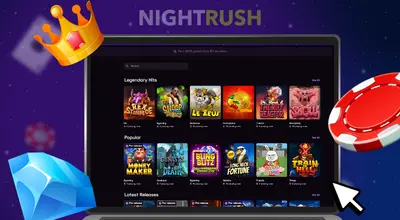
Choosing among real money casino games Canada players may encounter is easier when the site is arranged around clear categories rather than a long, undifferentiated lobby. The Lussurio homepage can be approached as a navigation task: identify the game type, check whether the title is suitable for bonus play, and confirm the relevant account conditions before committing funds. The lussurio casino bonus information should therefore be treated as one part of the decision, not as a reason to skip the details attached to a particular promotion or game.
real money casino games Canada

Start with the game category, not the promotional banner

A large casino catalogue can be useful only when its browsing tools reduce the amount of searching required. Begin with the broad category that matches your intention. Slots, classic slots, jackpots, table games, live casino, video poker, bingo, keno, scratch cards, instant-win titles and crash games serve different expectations. Someone looking for a short, simple session may prefer an instant game or a familiar slot, while someone wanting a slower table format may go directly to blackjack, roulette or baccarat.

Provider browsing can narrow the choice further. The site’s listed studios include names such as Pragmatic Play, NetEnt, Quickspin, Evolution and Ezugi, among many others. A provider filter is helpful when you already recognize a studio’s design style or want to compare several titles made by the same supplier. It should not, however, be treated as proof that every game has identical rules, volatility or return characteristics. Those details remain specific to each title.

Jackpot and live-dealer sections deserve separate attention because they can create a different playing experience from standard slots or automated table games. Live categories may include dealer-hosted blackjack, roulette, baccarat, poker variants and game shows. Before opening a title, check its displayed rules, table limits, eligible features and whether the game is available in the account’s selected currency. Good navigation is not simply about reaching a game quickly; it is about reaching the right type of game with fewer assumptions.

How can you compare titles without mistaking variety for value?

A catalogue containing thousands of listings can give the impression that more choice automatically means better choice. In practice, a shorter shortlist is easier to evaluate. Look for the game’s name, supplier, format, stake range and any visible information about its mechanics. For slots, pay attention to the number of paylines or ways to win, bonus features and whether the jackpot is progressive. For table games, review the rules and available variants before selecting a table.

Short previews can help with basic discovery, but they cannot establish how a game will perform during a particular session. A few demo rounds do not verify long-term return, volatility or the likelihood of a feature appearing. Outcomes remain uncertain, and no category should be described as a source of income. If a game’s rules are unclear, use the information panel or help section rather than relying on a title, thumbnail or promotional description.

It is also sensible to separate entertainment preferences from promotional value. A game may appear prominently because it is included in a campaign, yet that does not mean it is the most suitable choice for your budget or interests. Check whether the promotion excludes live dealer, crash, instant-win or other categories, and whether different games contribute at different rates. If the terms are not displayed clearly, confirm the applicable conditions before making a qualifying deposit.

Check the conditions before a bonus changes your shortlist

Promotional browsing can be convenient, but bonuses add conditions that may affect how easily funds can be withdrawn. Published information describes a welcome package of up to 550% in matched bonuses and 400 free spins across qualifying deposits, while a Canada-focused offer is described as up to CA$1,400 with free spins on a first deposit. These figures are headlines, not automatic entitlements. The specific offer, currency, deposit threshold and maximum amount must be checked at the time of use.

Wagering normally applies to the deposit and bonus together rather than to the bonus alone, according to the available descriptions. Different promotional pages may state different multipliers, so the terms attached to the actual offer matter more than a general summary. Other details can include expiry periods, maximum bet rules, eligible games, contribution rates and restrictions on withdrawing while a bonus remains active.

Promotions can also influence navigation in less obvious ways. A cashier may show a campaign separately from the general lobby, while a code or referral route may be required for eligibility. Only one active bonus may be permitted at a time, and withdrawing can cause an associated bonus balance to be forfeited. Treat every offer as a separate decision: compare its restrictions with the games you actually intend to play, rather than changing your game choice solely to satisfy a headline reward.

Use currency and access settings to keep the lobby practical

For Canadian users, CAD is listed among the supported account currencies, alongside several international options. Selecting the appropriate currency can make displayed stakes and account records easier to understand, but availability and thresholds can vary by payment method and account profile. Do not assume that every listed method or game behaves identically across currencies. The cashier and the individual game information should be checked before funds are committed.

Navigation also depends on the device being used. The service is described as an instant-play website for modern smartphones and tablets, with access to games, promotions, account functions and cashier features through a browser. Some directories refer to a mobile application, but a verifiable listing in the major official app stores has not been established. A browser-based site and a downloadable native app are therefore not the same thing, and users should avoid installing software from an unverified source.

Account security is part of usability. Use accurate personal details, protect login credentials and avoid creating duplicate accounts, since account rules may restrict multiple registrations. Verification can require identity, address and payment-ownership documents, particularly before a withdrawal. If an account is restricted or a review is pending, support may request additional information. A smooth lobby cannot remove those compliance steps, so keep records and use the stated support channels if a navigation or account problem cannot be resolved.

Build a browsing routine that keeps play within your limits

Before opening the lobby, decide what the session is for and how much time and money it can use. Browsing every category without a stopping point can encourage impulsive changes between games. A more practical routine is to select one or two categories, set a fixed session length and avoid increasing the budget after losses. This approach keeps the navigation process tied to a plan instead of allowing the lobby to dictate the next decision.

Account controls listed for the service include deposit, wagering and loss limits, as well as session limits, reality checks, cooling-off periods and self-exclusion. Their availability and operation should be confirmed in the account area, along with any relevant activation or waiting conditions. For independent Canadian information about safer gambling and support, consult the Responsible Gambling Council’s public resources. These tools are safeguards, not guarantees that play will remain harmless.

Finally, review your activity rather than relying on memory. Account history can help you see deposits, bets and session patterns, while payment records can clarify the difference between a promotional balance and withdrawable funds. If you decide to stop, do so before opening another category or accepting a new offer. The most useful navigation system is one that makes informed choices easier and makes it equally easy to leave the site when your planned session ends.

Questions readers often ask

What is the quickest way to find a suitable game?

Choose a broad category first, then narrow it by provider, title or format. Review the game’s rules, stake range and promotional eligibility before playing. This is generally more useful than selecting the first title shown in a banner, because placement does not establish that a game suits your budget or preferences.

Can every game contribute equally to a bonus?

No assumption should be made that all games contribute equally. Live dealer, crash, instant-win and other categories may be excluded or assigned reduced contribution under specific promotions. Read the active offer’s terms, including wagering, eligible games, expiry and maximum bet conditions, before making a deposit intended to qualify.

Is a mobile app required to play?

No. The available information describes browser-based access on modern smartphones and tablets. A native app should not be assumed merely because a directory mentions one, particularly when an official store listing has not been verified. Use the established website and avoid downloading applications from unofficial sources.

/** * The template for displaying the footer * * Contains the closing of the #content div and all content after. * * @link https://developer.wordpress.org/themes/basics/template-files/#template-partials * * @package WordPress * @subpackage Twenty_Twenty_One * @since Twenty Twenty-One 1.0 */ ?>